
For iPhone
Strength trainingbetween work.
Get stronger with short sets spread across your workday, on a plan that progresses for you. Log a set in two taps from Today, with gentle reminders spread across your work hours. Your data stays on your iPhone.
iPhone · iOS 27 or later · Free, with optional Setbreak Pro
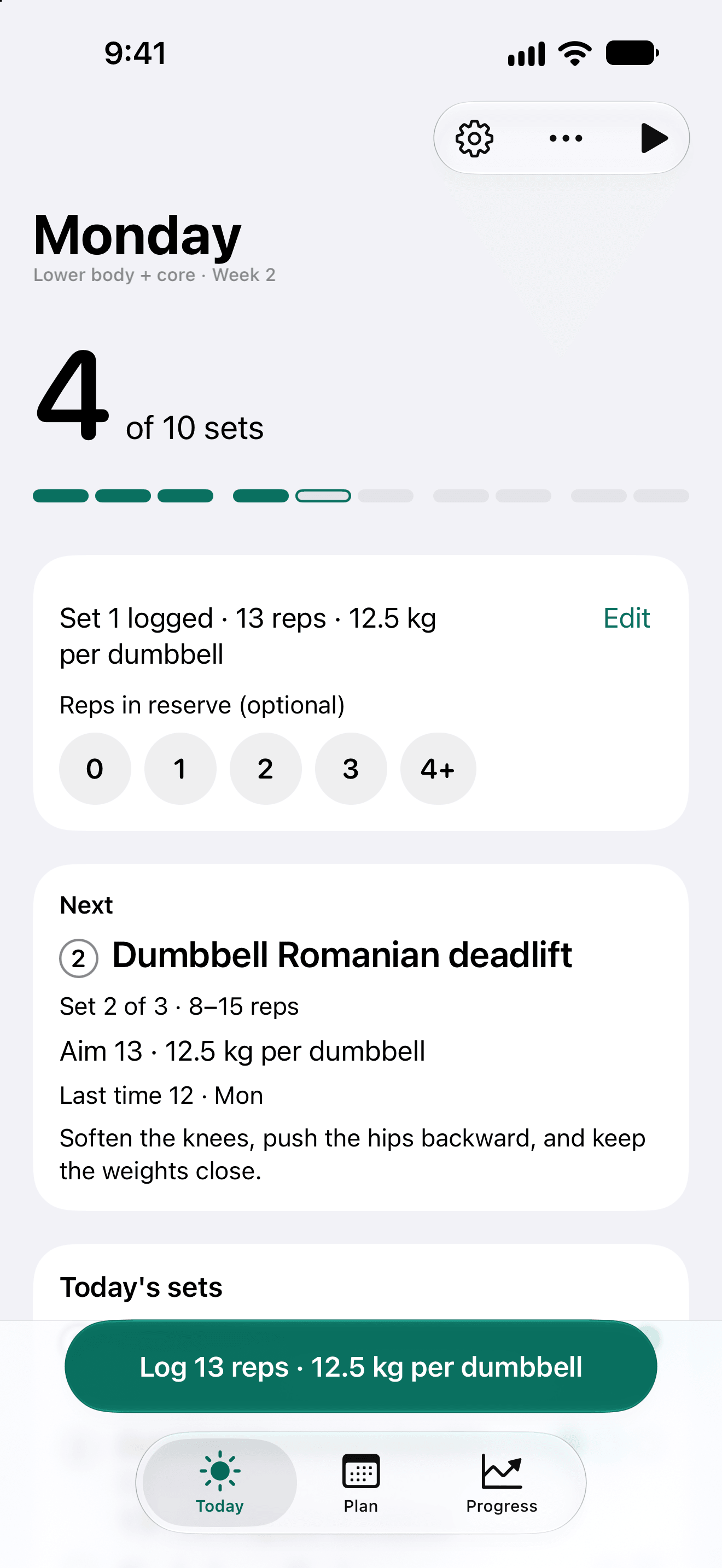
Monday
Lower body + core · Week 2
Set 3 logged · 13 reps · 12.5 kg kettlebell
EditReps in reserve (optional)
Next
Set 1 of 3 · 8–15 reps
Aim 12 · 12.5 kg per dumbbell
Last time 11 · Thu
Soften the knees, push the hips backward, and keep the weights close.
Today's sets
iPhone · iOS 27 or later · Setbreak Pro optional
What's in it
A strength plan that fits around your work.
Short sets through the day, a plan that moves you up, and everything around it: food, body, journal and progress.
01 / Plan
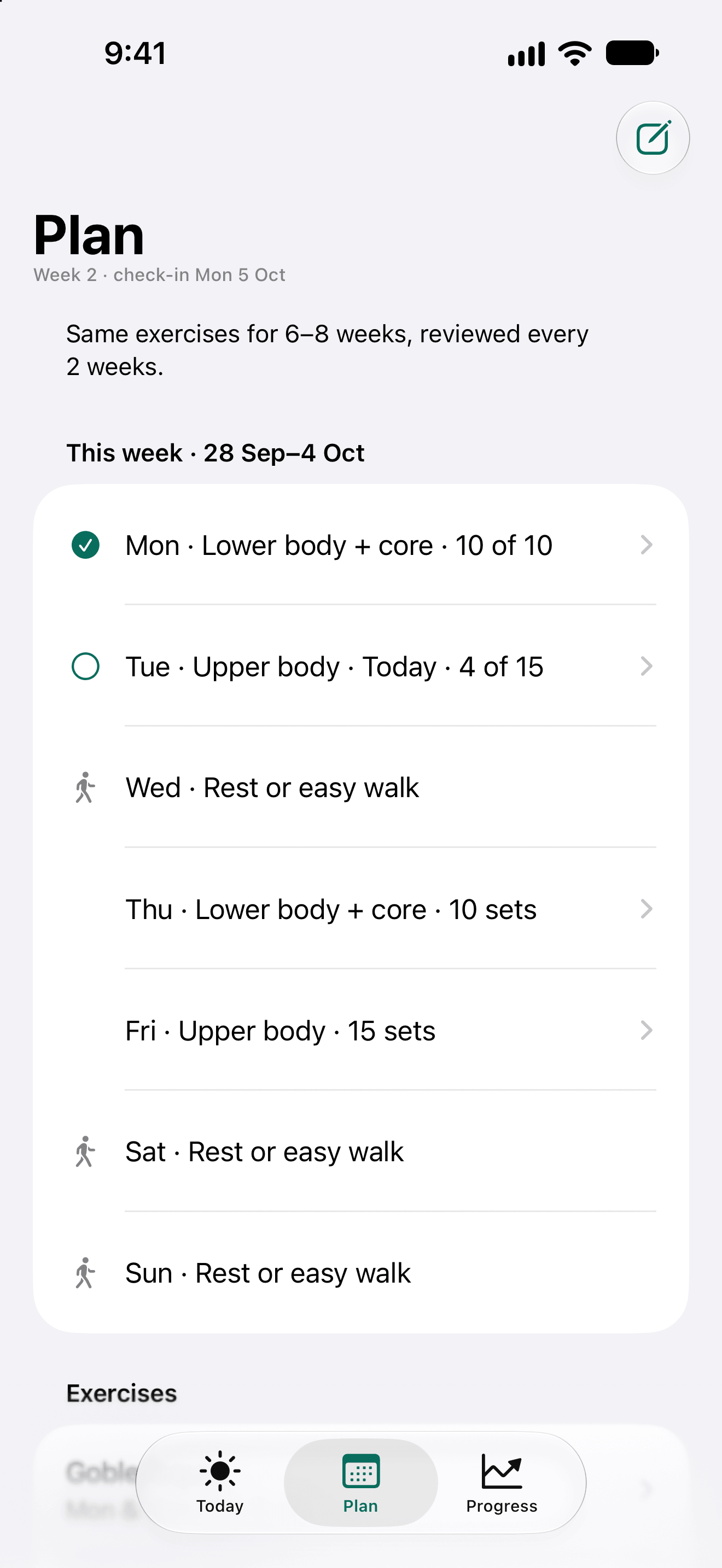
A plan that fits your week.
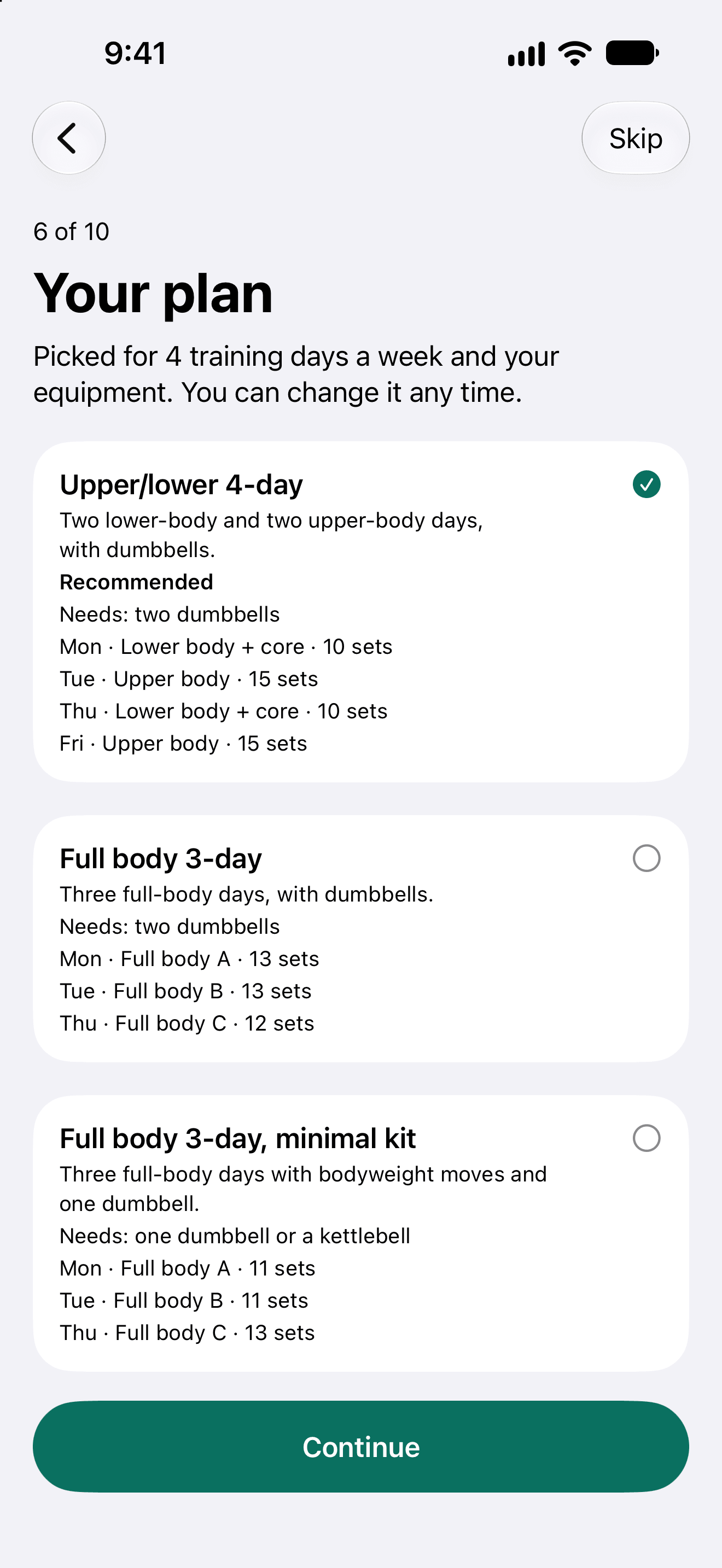
Answer a few questions about your schedule, training days and equipment, and Setbreak picks a strength plan from its templates, with each exercise's sets, reps and weights. It moves you up when you've earned it.
02 / Workday
Sets between work.
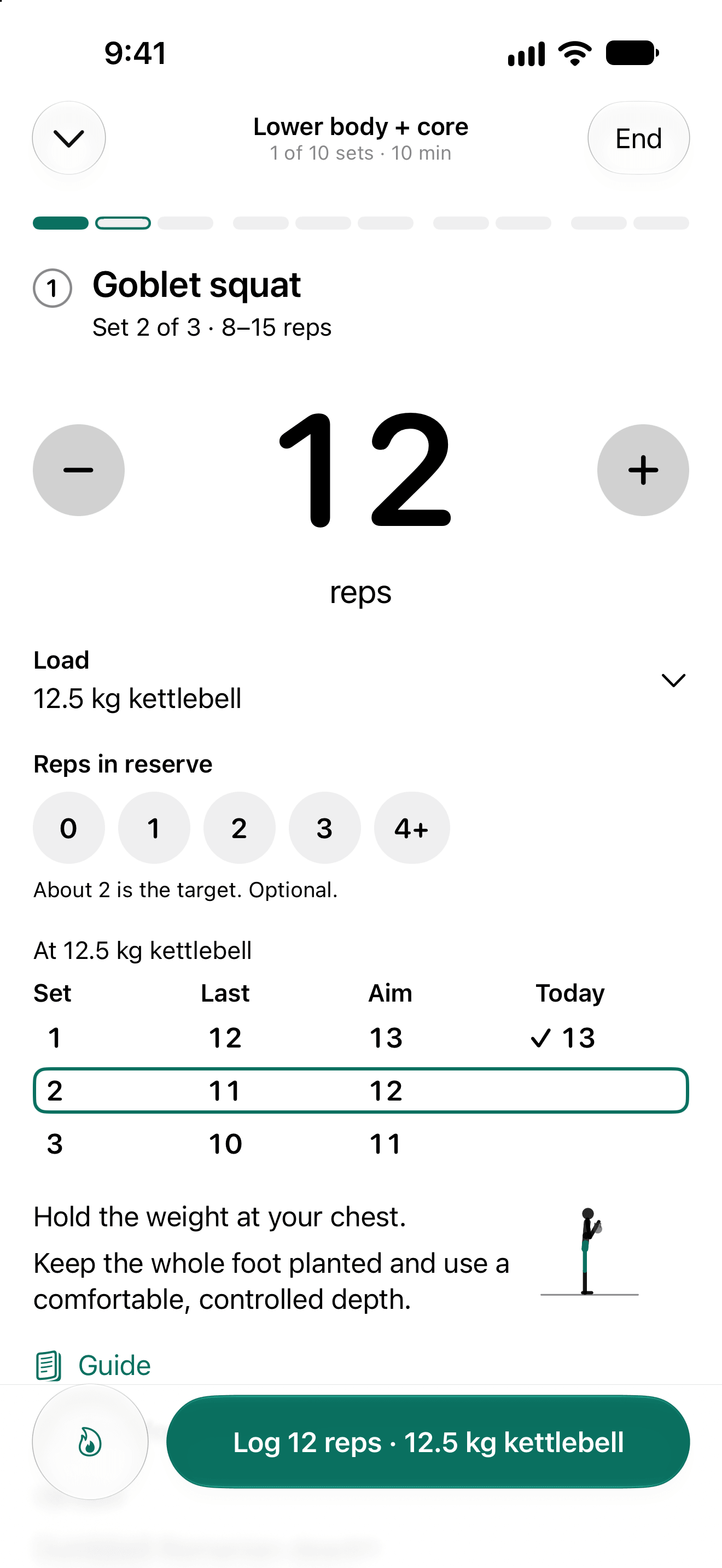
Log a set in two taps from Today, quick-log or a guided session, including after the fact. Gentle reminders are spread across your work hours, and night shifts that run past midnight work too.
03 / Glance
Always one glance away.
Home Screen and Lock Screen widgets, a Live Activity with your rest timer, and Siri and Shortcuts for “log a set” and “what's next”.
04 / Guide
Every exercise explained.
A guide card with form cues, the muscles it works, and a safety note.
05 / Food
Food and protein.
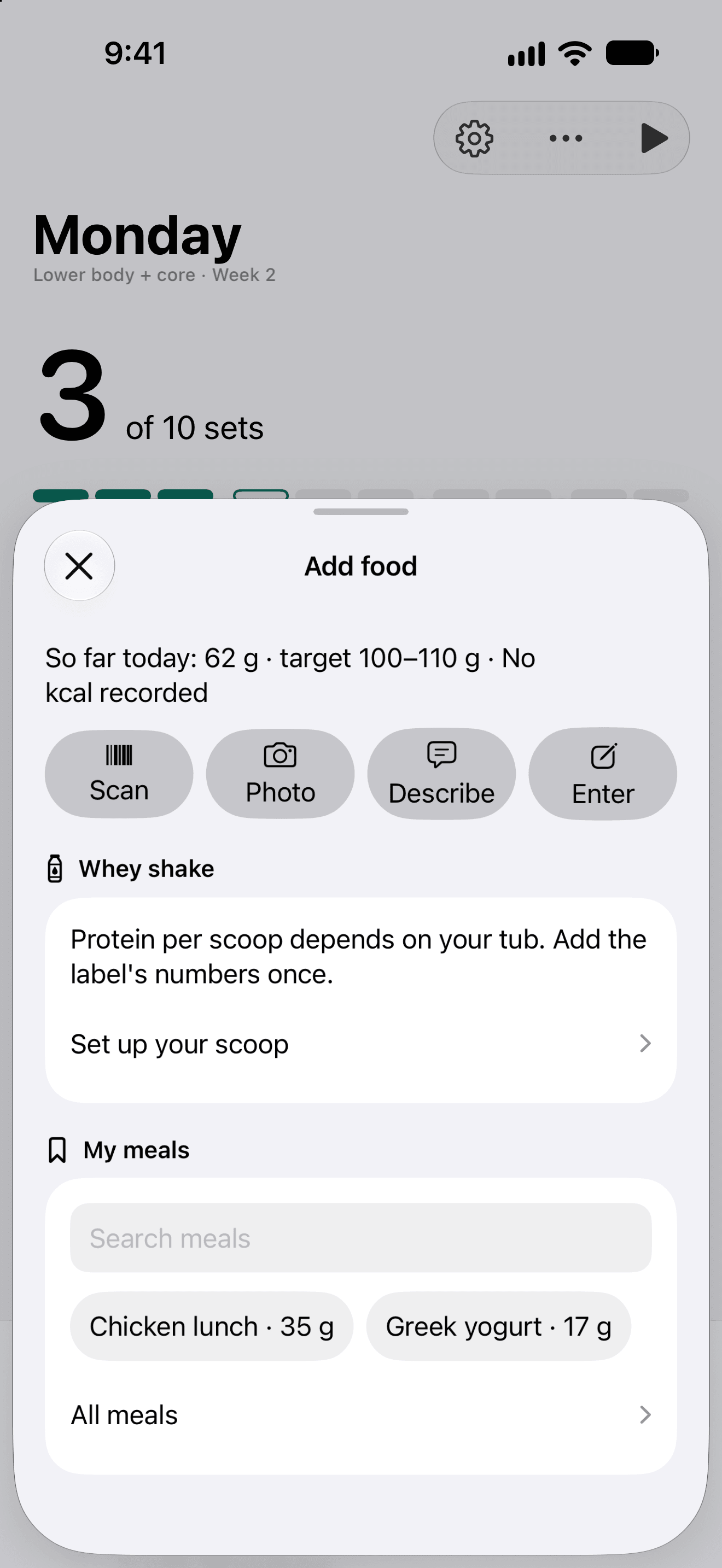
A daily protein target and barcode scanning. With Pro, meal estimates from a description or a photo, made on your iPhone.
06 / Progress
Body and progress.
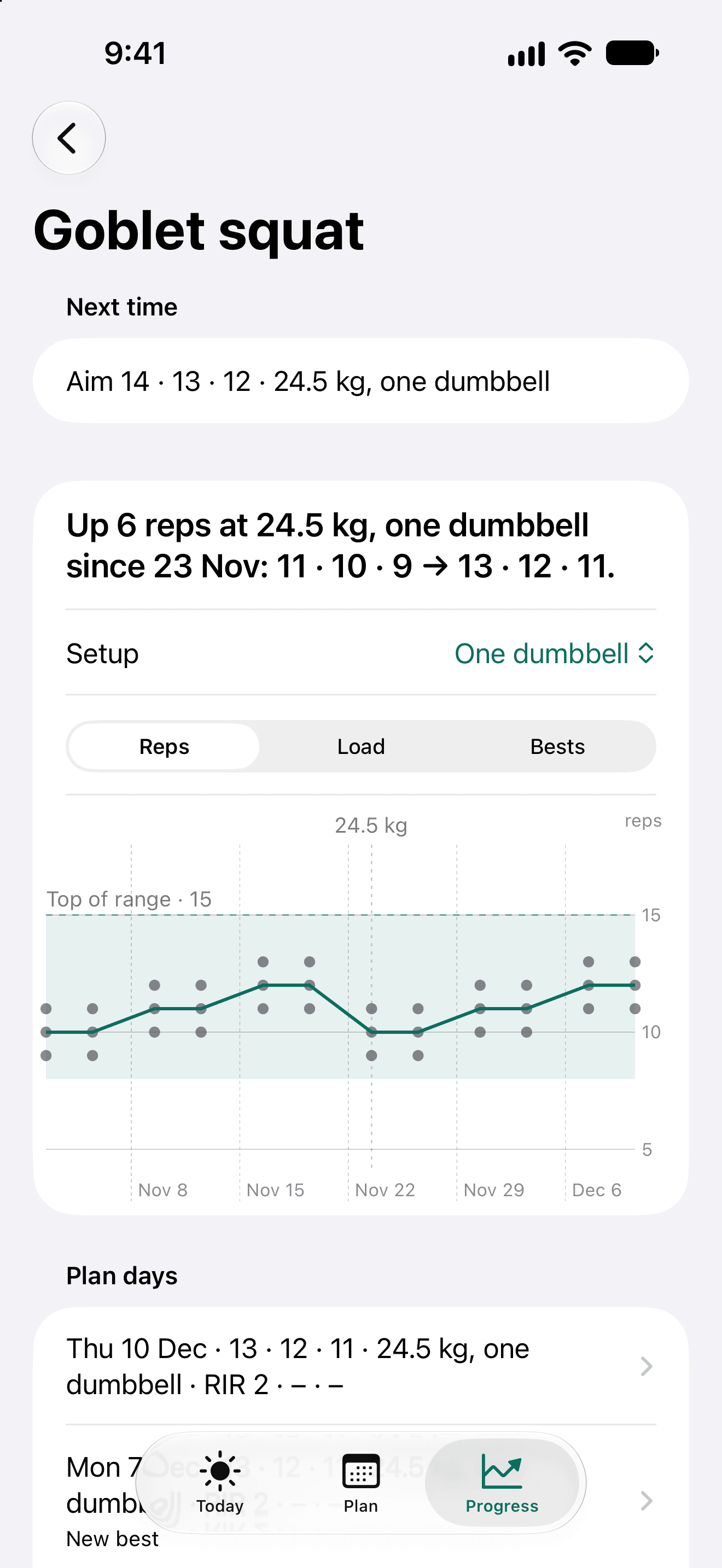
Weigh-ins, measurements and progress photos. With Pro, exercise charts, a weekly muscle map and form-check video.
07 / Journal
Journal and check-ins.
Note how you slept and felt, flag pain, and review your week before changing the plan.
08 / Pro
Your plan, your way.
With Setbreak Pro, edit the plan, add your own exercises and days, and set the weights you use.
09 / Health
Works with Apple Health.
It reads body weight, steps and sleep. With Pro it writes your food and workouts.
10 / Help
Built-in tutorials.
Tips on each screen, plus Help that replays them.
How it works
Three steps, then short sets all week.
No gym trip and no long session: a few sets spread across your working day.
- 1
Answer a few questions
About your schedule, training days and equipment. Setbreak picks a strength plan from its templates.
- 2
Log sets between work
Two taps from Today. Gentle reminders are spread across your work hours, night shifts included.
- 3
Move up when you've earned it
The plan moves you up as you progress. Check in on your week before changing it.
Private by design.
There is no Setbreak server. Your training, food, body and journal stay on your iPhone, with optional backup to your own iCloud (Pro), and you can export or import them at any time. Read the privacy policy.
- No Setbreak server
- Data stays on your iPhone
- No analytics
- Export or import at any time
Screenshots
See it up close.
Shown with sample data. Your own training, food and body data never leave your iPhone.
Coming soon
What's next for Setbreak.
Not in the app yet. These are next on the list, with no dates promised.
- Coming soon
Setbreak for Android
Setbreak on Android phones.Setbreak on Android phones.
- Coming soon
Live sync between your devices
Synced live between devices.Your plan and your logs, synced live between your devices.
- Coming soon
More exercises and plan templates
More exercises, more plans.More exercises to choose from, and more plans to start from.
- Coming soon
Apple Watch logging
Log a set from your wrist.Log a set from Apple Watch.
How much does Setbreak cost?
Setbreak is free to download. Setbreak Pro is an in-app purchase: Monthly US$4.99 or Yearly US$29.99, each with a 1-week free trial, or Lifetime US$59.99, paid once.
Pro adds meal estimates from a description or a photo, exercise charts, a weekly muscle map, form-check video, editing your plan with your own exercises and days, iCloud backup to your own iCloud, and writing your food and workouts to Apple Health.
Does my data stay on my iPhone?
Yes. There is no Setbreak server. Your training, food, body, journal and settings stay on your iPhone, in the app's own storage. You can export or import them at any time.
The network is used only for barcode lookups (a barcode is sent to Open Food Facts to find the product), for iCloud backup to your own private iCloud (Pro), and for the App Store. Meal estimates are made on your iPhone.
Do I need an account?
No. Sign in with Apple is optional. If you use it, the name and email it shares are kept on your iPhone.
Is Setbreak medical advice?
No. Setbreak isn't medical advice. Check with a professional before starting a new training plan. If something hurts, you can flag pain in the journal, and review your week before changing the plan.
How does the plan work?
Answer a few questions about your schedule, training days and equipment, and Setbreak picks a strength plan from its templates, with each exercise's sets, reps and weights. It moves you up when you've earned it.
Gentle reminders are spread across your work hours, and night shifts that run past midnight work too. With Pro you can edit the plan, add your own exercises and days, and set the weights you use.
Does it work with Apple Health?
Yes, if you turn it on. Setbreak reads body weight, steps and sleep; with Pro it writes your food and workouts.
Health data is never used for advertising and never leaves your iPhone except through Apple Health itself.
Which iPhones does it run on?
Any iPhone with iOS 27 or later.
Is Setbreak made by Apple?
No. Setbreak is an independent app made by Nio Martinez. Setbreak isn't made by or affiliated with Apple or Open Food Facts.

Strength training between work.
Coming soon to the App Store, free to download. Questions or ideas? Write to hello@niomartinez.com.